
 主题秀
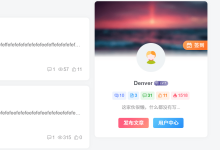
主题秀怎样在wordpress文章显示添加一组作者信息模块呢,方便显示作用的一系列信息,比如名称,昵称,个人简介,网站,头像等信息,大挖分享一段实用的作用信息函数,给大家,可以方便的使用起来。只需要将以上代码添加到wordpress当前主题的functions.php文件中:
function wp_author_info_box( $content ) {
global $post;
// 检测文章与文章作者
if ( is_single() && isset( $post->post_author ) ) {
// 获取作者名称
$display_name = get_the_author_meta( 'display_name', $post->post_author );
// 如果没有名称,使用昵称
if ( empty( $display_name ) )
$display_name = get_the_author_meta( 'nickname', $post->post_author );
// 作者的个人信息
$user_description = get_the_author_meta( 'user_description', $post->post_author );
// 获取作者的网站

$user_website = get_the_author_meta('url', $post->post_author);
// 作者存档页面链接
$user_posts = get_author_posts_url( get_the_author_meta( 'ID' , $post->post_author));
if ( ! empty( $display_name ) )
$author_details = '

关于 ' . $display_name . '
';
if ( ! empty( $user_description ) )
// 作者头像
$author_details .= '

' . get_avatar( get_the_author_meta('user_email') , 90 ) . nl2br( $user_description ). '
';
$author_details .= '

查看 ' . $display_name . ' 所有文章';
// 检查作者在个人资料中是否填写了网站
if ( ! empty( $user_website ) ) {
// 显示作者的网站链接
$author_details .= ' | 网站
';
} else {
// 如果作者没有填写网站则不显示网站链接
$author_details .= '

';
}
// 在文章后面添加作者信息
$content = $content . '

' . $author_details . '
';
}
return $content;
}
// 添加过滤器
add_action( 'the_content', 'wp_author_info_box' );
// 允许HTML
remove_filter('pre_user_description', 'wp_filter_kses');
同时需要在wordpress主题文件中添加对应的css样式到style.css样式表中。
.author-bio-section {
background: #fff;
float: left;
width: 100%;
margin: 10px 0;
padding: 15px;
border: 1px dashed #ccc;
}
.author-name {
font-size: 15px;
font-weight: bold;
margin: 0 0 5px 0;
}
.author-details img {
float: left;
width: 48px;
height: auto;
margin: 5px 15px 0 0;
}
作者信息模块的功能就完成了,这个功能可以自动在文章内容下面调用信息,是不是很方便呢
















评论前必须登录!
注册